Overthewire Bandit level 6 -> 11

Bandit level 6
Connect to the server:
ssh -p 2220 bandit6@bandit.labs.overthewire.org
using secure shell to connect to bandit.labs.overthewire.org through port 2220 with the username : bandit6
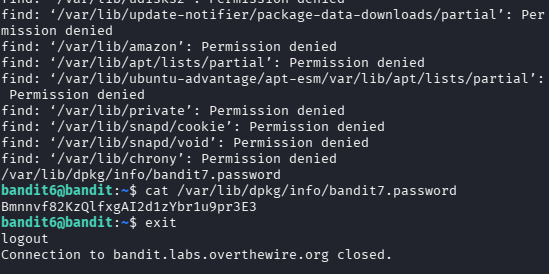
The question said that the password is stored somewhere in the next level, so i started finding from the root (/)
find / -user bandit7 -group bandit6 -size 33c
we find out that the password is located in /var/lib/dpkg/info/bandit7.password
so we just need to display it
cat /var/lib/dpkg/info/bandit7.password
Bandit level 7
Connect to the server:
ssh -p 2220 bandit7@bandit.labs.overthewire.org
using secure shell to connect to bandit.labs.overthewire.org through port 2220 with the username : bandit7
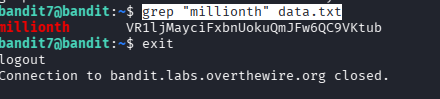
grep "millionth" data.txt
grep => use to search for specific keywords
Bandit level 8
Connect to the server:
ssh -p 2220 bandit8@bandit.labs.overthewire.org
using secure shell to connect to bandit.labs.overthewire.org through port 2220 with the username : bandit8
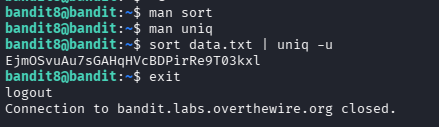
sort data.txt | uniq -u
sort => use to sort a file
uniq => detect multiple line from a file
uniq -u => uniq -unique, detect the only string that's not repeated
Bandit level 9
Connect to the server:
ssh -p 2220 bandit9@bandit.labs.overthewire.org
using secure shell to connect to bandit.labs.overthewire.org through port 2220 with the username : bandit9
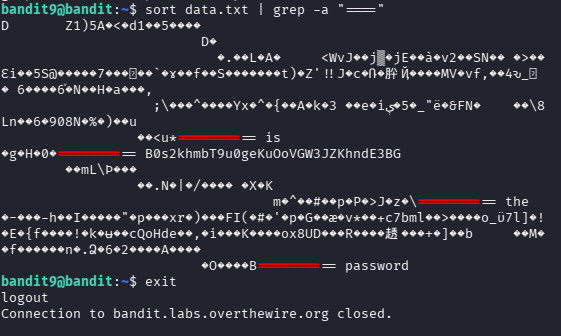
sort data.txt | grep -a "===="
grep -a => process a binary file as if it were text
Bandit level 10
Connect to the server:
ssh -p 2220 bandit10@bandit.labs.overthewire.org
using secure shell to connect to bandit.labs.overthewire.org through port 2220 with the username : bandit10
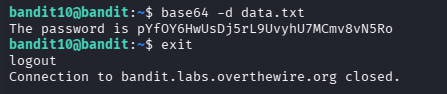
base64 -d data.txt
base64 => encode or decode file or, standard input to standard output
base64 -d => decode data
Bandit level 11
Connect to the server:
ssh -p 2220 bandit11@bandit.labs.overthewire.org
using secure shell to connect to bandit.labs.overthewire.org through port 2220 with the username : bandit11
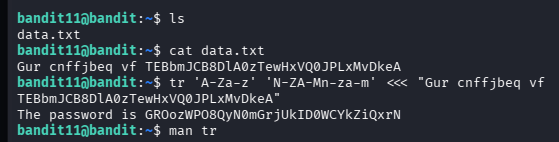
tr 'A-Za-z' 'N-ZA-Mn-za-m' <<< "Gur cnffjbeq vf TEBbmJCB8DlA0zTewHxVQ0JPLxMvDkeA"
tr => translate or delete character
A-Z:a-z, N-Z:A-M, n-z:a-m => so this is what we called rot13, its replace the char with the 13th letter after it. This translated as A-Z same as a-z, N-Z same as A-M, n-z same as a-m.
- “I’ve been facing adversity from the day I was born! No matter how many of you there are, or what happens, I’ll overcome it all.”
My Goat Asta from Black Clover